


Delete Pipe
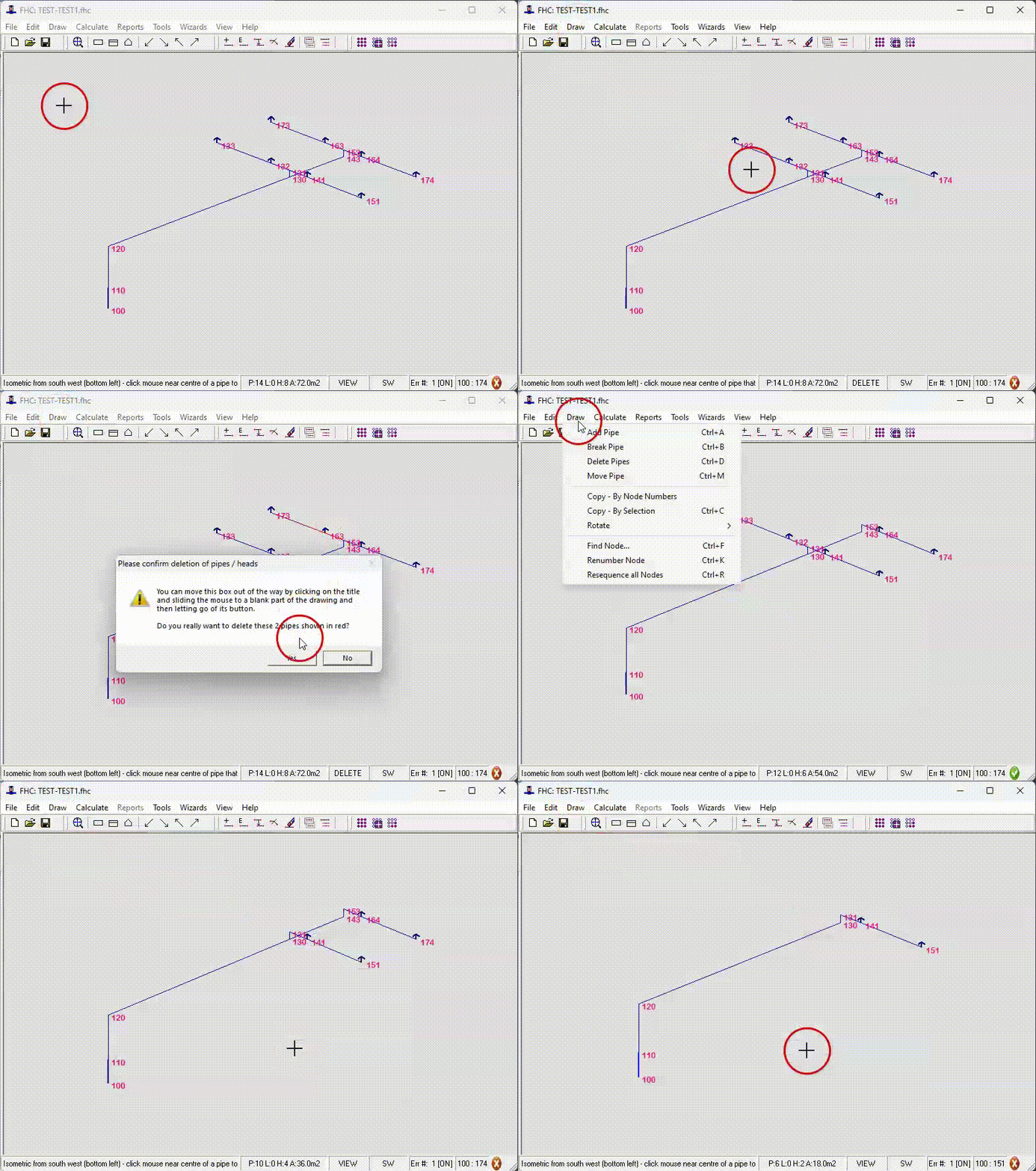
The Delete Pipe command will remove one or more pipes from your FHC project. The command will remove pipes upstream of the first pipe which you have selected. The selected pipes will be marked in red, you will be asked to confirm the action before the delete command action.
You can select the delete command from the menu Draw->Delete Pipe or by selecting the delete pipe icon on the draw toolbar or by using shortcut key [Ctrl+D]
1.Select the delete pipe command.
2.Select the centre of the first pipe you wish to delete.
3.The selected pipes which will be deleted will be highlighted in red.
4.A dialogue box will ask you to confirm your action.
|
FHC - Reference & Tutorial | Version 2.4 |
Copyright © 2015-2025 Canute LLP | www.canutesoft.com |